
How to Integrate Automated SEO Content into WordPress Without Plugins
If you want to streamline automated SEO content WordPress integration without relying on plugins, this guide is for you. Discover how to connect your WordPress site directly to a platform that automatically plans, writes, and publishes SEO-optimized articles, landing pages, and AI-generated images—using data from your own services and pages.
In this article:
- Key takeaways
- What You Need to Start with Automated SEO Content WordPress Integration
- Step 1: Prepare Your WordPress Site for External Content Integration
- Step 2: Connect Your Automated SEO Platform to WordPress
- Step 3: Optimize, Review, and Schedule Content for Seamless Publishing
- Frequently Asked Questions
- Conclusion
This article will walk you through every step: from preparing your WordPress site for external integration, to connecting automated SEO tools like Inowara, and finally optimizing and scheduling your content for seamless publishing. By following these instructions, you can achieve organic traffic growth with original, personalized content—without manual work or generic AI templates.
Key takeaways
- Automated SEO content integration with WordPress is possible without plugins using platforms like Inowara.
- Direct API or webhook connections offer a secure, efficient way to publish AI-driven content.
- Always review and tailor automated content to ensure originality and SEO effectiveness.
- Automated platforms save time and support sustainable organic growth for businesses of all sizes.
What You Need to Start with Automated SEO Content WordPress Integration
To begin with automated SEO content WordPress integration—without plugins—make sure you have the following prerequisites:
- Administrator access to your WordPress site, allowing you to manage users, install themes, and configure settings.
- API credentials (such as an application password for WordPress REST API), which will enable secure communication between your site and the automation platform.
- An active account with a specialized platform like Inowara that supports direct, plugin-free integration.
How Inowara Enables Seamless Content Automation
Inowara streamlines the entire process of SEO automation for WordPress users. Once integrated, Inowara analyzes your existing website content, niche, and competitors to automatically plan relevant topics and keywords. It then generates SEO-optimized articles, landing pages, and even AI-driven images, publishing them to your WordPress site on a predefined schedule. You always have the opportunity to review and edit drafts before they go live, ensuring originality and alignment with your brand.
This process is fully automated—from content analysis to publication—making it especially valuable for business owners and agencies seeking measurable, organic growth without relying on generic AI templates or repetitive manual work.
Why Choose Plugin-Free Integration?
Opting for a plugin-free approach to WordPress AI content integration offers several advantages:
- Speed: Avoid the performance drag that often comes with extra plugins.
- Security: Minimize vulnerabilities by reducing your site's dependency on third-party code.
- Efficiency: Prevent code bloat and conflicts that can occur with multiple plugins.
For example, with Inowara’s direct REST API integration, you simply generate an application password in the WordPress dashboard and connect your site, as detailed in the official guide. Once connected, you’ll see new SEO-optimized drafts appear automatically in your WordPress posts section, ready for your review.
By preparing these essentials and choosing a robust platform like Inowara, you set the foundation for a fast, secure, and scalable SEO automation workflow—without the clutter or risks of traditional plugins. This is especially effective for those aiming to maximize content output and organic reach with minimal manual effort.
Step 1: Prepare Your WordPress Site for External Content Integration

To ensure a secure and seamless automated SEO content WordPress integration without plugins, begin by preparing your WordPress site for external content publishing. This foundational step is essential whether you are using Inowara’s platform for automatic article and landing page publishing or exploring other SEO automation WordPress solutions. Follow these precise actions to get started:
- Enable the WordPress REST API:
- By default, WordPress has the REST API enabled. To confirm, access
yoursite.com/wp-json/in your browser; you should see a structured JSON response. If you get a 404 or error, check for security plugins that may restrict API access and adjust their settings accordingly. - REST API is required for platforms like Inowara to automatically post, update, or schedule content, images, and taxonomies on your behalf.
- By default, WordPress has the REST API enabled. To confirm, access
- Create and Configure an Application Password:
- Log in to your WordPress dashboard and go to Users > Profile (or your user name).
- Scroll to Application Passwords, enter a descriptive name (e.g., "Inowara Integration"), and click Add New Application Password.
- Copy the generated password immediately and save it securely. This password, with your username, will authenticate external platforms for content integration.
- Set User Roles and Permissions for Content Approval:
- Decide who can approve, edit, or publish external content. For most use-cases, create a dedicated user account with the Editor or Author role for integration. Limit full administrative access to mitigate risk.
- Configure the chosen role’s capabilities if you need granular control—this can be customized using WordPress’s native tools or, if needed, a temporary permissions management plugin (which can be removed after setup).
- External platforms like Inowara allow you to review, edit, or schedule content before it goes live, so ensure your internal workflow aligns.
- Backup Your Site Before Integration:
- Always create a full backup of your WordPress files and database before connecting any external service. Use your hosting provider’s backup tool or export manually via phpMyAdmin and FTP/SFTP.
- Keep a copy of your content and media files, so you can easily restore your site in case of any unexpected issues during the integration process.
- Verify Successful Preparation:
- Once the REST API is accessible, your dedicated user is ready, and a backup is secured, test the connection with your SEO automation platform. For example, Inowara will prompt for the REST API endpoint, username, and application password and confirm a successful handshake. You should see a confirmation or test article appear as a draft in your WordPress posts list.
For advanced scenarios or if your website uses custom post types, non-standard workflows, or additional security layers, consider reviewing Custom Integration Content Automation to tailor the connection process to your unique needs.
Preparing your WordPress site with these steps ensures that automated platforms—like Inowara, which supports direct REST API publishing, image handling, and custom content approval flows—can safely deliver high-quality, SEO-optimized articles and landing pages without manual intervention. This setup is crucial for anyone seeking effective, scalable WordPress AI content solutions and robust content integration tips.
Step 2: Connect Your Automated SEO Platform to WordPress
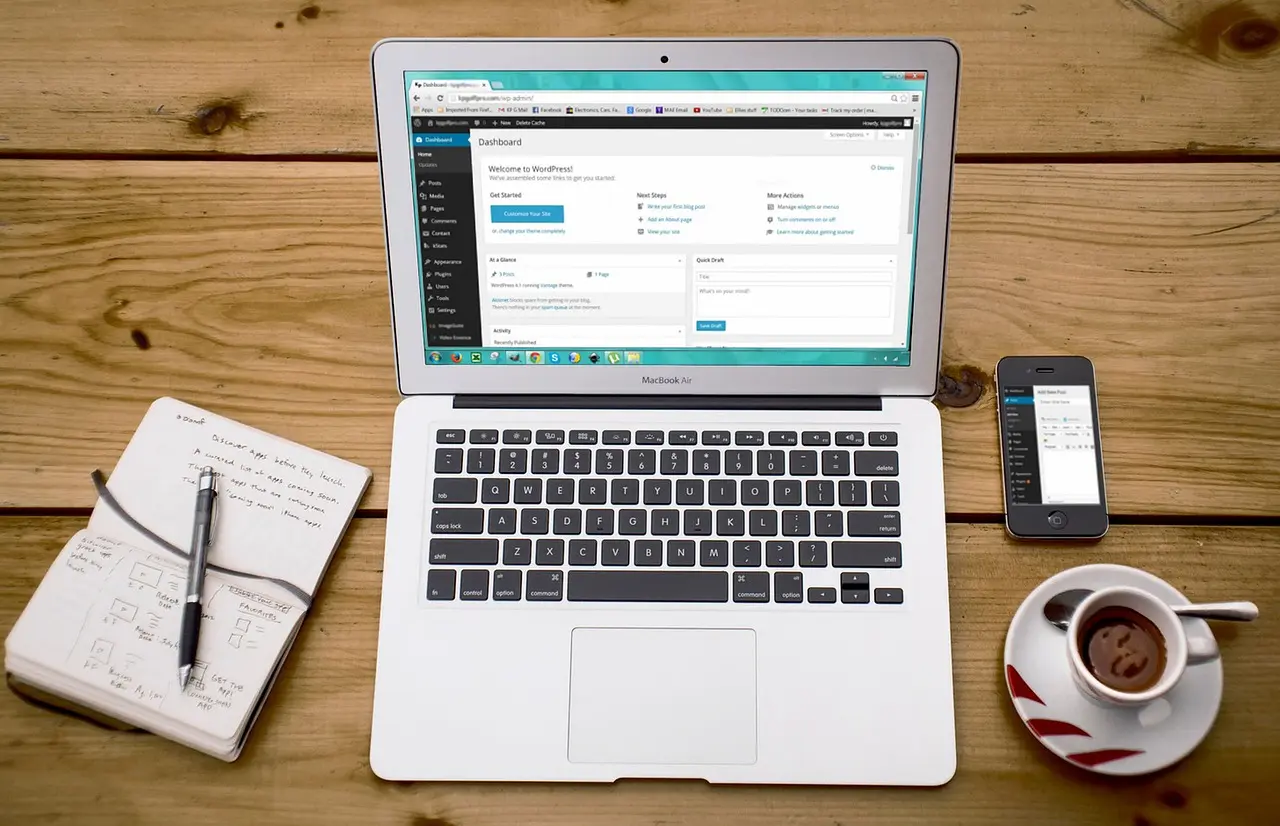
To achieve seamless automated SEO content WordPress integration without relying on plugins, follow these direct steps to connect Inowara—or any similar SEO automation platform—using the WordPress REST API and application passwords. This approach ensures secure, flexible content delivery, letting you automate publishing while maintaining editorial control.
- Generate an Application Password in WordPress:
- Go to your WordPress dashboard and navigate to Users > Profile.
- Scroll down to the Application Passwords section.
- Enter a name (e.g., "Inowara Integration") and generate a new password. Copy and store this securely.
Success indicator: You see your new application password and confirmation message in WordPress.
- Locate Your WordPress Site URL and User Credentials:
- Ensure you have your site URL and the username associated with the application password. You’ll need these for the API connection.
- Configure the Connection in Inowara:
- In your Inowara dashboard, select Integrations and choose WordPress.
- Enter your WordPress site URL, username, and the application password you generated.
- Save your settings.
Success indicator: Inowara confirms the connection and displays your WordPress site as "connected."
- Map Content Fields:
- Within the integration settings, review field mapping options (e.g., title, body, featured image, categories, tags, landing page templates).
- Ensure each Inowara field points to the correct WordPress field. For example, article titles map to post titles, image URLs map to the media library, and so on.
Success indicator: Test entries show up correctly in the draft section of your WordPress posts, with images placed in the media library.
- Test with Sample Content Before Full Automation:
- Publish a test article from Inowara. Verify it appears as a draft/published post in WordPress, with images, categories, and tags appropriately assigned.
- Edit the test content if needed—this validates the integration and ensures your editorial process remains in control.
Success indicator: Test content is visible and editable in WordPress, complete with mapped elements and correct formatting.
Best Practices for Reliable SEO Automation WordPress Integration
- Always begin with test content to avoid accidental live publishing.
- Regularly review mapped fields after WordPress or Inowara platform updates.
- Schedule automation only after validating successful test posts and reviewing for SEO and formatting accuracy.
For further content integration tips and to understand the impact of automation, see how to Measure ROI of Automated SEO.
Step 3: Optimize, Review, and Schedule Content for Seamless Publishing
After connecting your automated SEO platform to WordPress, focus on refining content before it goes live. To ensure every article, image, and landing page achieves the best possible SEO results and genuinely resonates with your audience, follow these steps:
- Preview generated content directly from your platform dashboard.
- Access a detailed preview of each article, including AI-generated images and fully formatted landing pages tailored to your services.
- Check how the content appears exactly as it will on your WordPress site, ensuring no surprises upon publication.
- Edit and personalize before approval.
- Use the built-in editor to refine headlines, adjust tone, and ensure keyword usage aligns with your brand voice and target audience.
- Update images, meta descriptions, or call-to-actions for relevance and originality. Make sure landing pages reflect real offers or products, not generic templates.
- Confirm each piece is unique and not recycled AI text; platforms like Inowara emphasize original, data-driven content—review this aspect carefully to maintain SEO integrity.
- Approve or request changes.
- Once satisfied, mark content as approved for scheduling. If updates are needed, send feedback directly within the platform for rapid revision.
- Schedule publishing for optimal SEO impact.
- Set precise publishing times based on your site’s analytics or recommended slots from your SEO automation platform. Inowara allows you to automate posting schedules, targeting periods with highest organic growth potential.
- Leverage data-driven insights from your site niche and competition to stagger content releases—helping maximize search visibility.
When each step is successful, you’ll see approved posts queued for scheduled publication in your WordPress dashboard—complete with images in your media library, new categories or tags created, and content saved as draft or published, depending on your workflow preferences. This seamless integration ensures a smooth, plugin-free experience for automated SEO content WordPress integration.
For a deeper understanding of how unique, AI-powered content can perform in search results, review Can AI Content Rank for practical insights and future trends.
Ready to scale your SEO automation on WordPress with content that’s original, strategic, and fully measurable? Discover how Inowara transforms content integration and organic growth at inowara.com.
Frequently Asked Questions
How can I automate SEO content publishing to WordPress without plugins?
Automated SEO content can be published to WordPress without plugins by connecting your site to an external platform like Inowara through the WordPress REST API or webhooks. This allows you to schedule, generate, and publish optimized articles directly, bypassing the need for additional plugins and minimizing manual effort.
Is it safe to connect external AI content platforms to my WordPress site?
Connecting reputable AI content platforms, such as Inowara, to WordPress via secure APIs is generally safe. These integrations use authentication methods to protect your data. Always review permissions and use platforms that prioritize security and privacy to avoid exposing your site to unnecessary risks.
What are the benefits of using an automated SEO platform like Inowara for WordPress?
Using a platform like Inowara provides fully automated content planning, creation, and publishing tailored to your site and audience. It ensures original, personalized SEO articles and images, saving time and delivering measurable organic growth—without generic templates or manual work.
Can I review and edit automated AI content before it goes live on my site?
With Inowara, you can preview and modify each article before it is published to your WordPress site. This ensures the final content aligns with your brand’s voice and requirements, giving you full control over the material that appears online.
How does content integration affect my site's SEO performance?
Automated integration streamlines regular publishing of high-quality, optimized content, which can improve search rankings and boost organic traffic. Platforms like Inowara analyze your niche and competitors to ensure that each published article targets valuable keywords and SEO opportunities.
What steps should I take if automated content fails to publish correctly?
If content fails to publish, check the API connection between your site and the external platform, verify authentication credentials, and review any error messages in your WordPress dashboard. Contact platform support if the issue persists, and confirm your integration settings are up to date.
Ready to automate your SEO content workflow?
Experience hands-off, high-impact SEO growth with Inowara’s automated content planning, creation, and publishing for WordPress. Unlock the potential of original, optimized articles and images without plugins or manual work. Learn more at Inowara.
Conclusion
Integrating automated SEO content into WordPress without plugins can dramatically streamline your publishing workflow, especially when using a platform like Inowara. By automating everything from topic planning to article creation, image generation, and scheduled publishing—while still allowing full editorial control—site owners and growing businesses can focus on measurable, organic SEO growth rather than tedious manual tasks.
If you are looking to boost your site’s visibility with original, customized content and seamless WordPress integration, Inowara offers a complete, hands-off solution tailored to your needs. Discover how you can automate your SEO content strategy today at inowara.com.