
Custom Integration Content Automation: When Is a Tailored Solution the Right Choice?
Custom integration content automation empowers website owners and businesses to fully automate the creation and publishing of SEO-optimized articles, landing pages, and images, tailored to their specific needs and existing platforms. This blog explains when a tailored solution is the right choice, how custom CMS integrations work, and what to consider when choosing APIs for long-term scalability.
In this article:
- Key takeaways
- What Is Custom Integration Content Automation and How Does It Work?
- When Do You Need a Custom CMS Integration for Content Automation?
- What Are the Benefits and Challenges of Tailored Content Automation Solutions?
- How to Choose the Right API for Content Platforms and Ensure Future Scalability?
- Frequently Asked Questions
- Conclusion
If you run a website, agency, or e-commerce business and want to drive organic traffic without manual content work, understanding the benefits and challenges of custom automation is crucial. Using examples from platforms like Inowara, which automatically plans, writes, and publishes personalized SEO content based on your data, you’ll learn whether a standard or custom integration best fits your goals.
Key takeaways
- Custom integration content automation is essential when standard connectors cannot support your CMS or workflow.
- Tailored solutions enable automated, efficient, and personalized SEO content publishing directly to your site.
- Selecting the right API and integration approach ensures long-term scalability and seamless operations.
- Platforms like Inowara provide automated, tailored integrations for diverse business needs, maximizing SEO growth.
What Is Custom Integration Content Automation and How Does It Work?
Custom integration content automation refers to the process of connecting automated content platforms directly with a business’s unique website, CMS, or internal system through a tailored, purpose-built connector. Unlike generic plugins or one-size-fits-all integrations, these custom solutions are designed to fit the specific workflows, data structures, and publishing requirements of each organization.
In practical terms, custom integration content automation enables platforms like Inowara to automatically plan, generate, and publish SEO-optimized articles, landing pages, and images straight to your digital properties—even when those properties run on custom CMSs, proprietary portals, or legacy systems that aren’t supported out of the box. This approach eliminates the need for manual copying, repetitive formatting, or workaround imports, instead creating a seamless flow from content generation to live publication.
How Does Tailored Content Automation Work?
- System Analysis: The integration process starts with analyzing the target CMS or business application to understand data formats, authentication, and publishing mechanisms.
- Connector Development: A dedicated API or publishing workflow is built to match the system’s unique requirements, ensuring reliable, secure data transfer.
- Automated Content Delivery: Once connected, the platform (such as Inowara) automatically generates SEO-friendly content based on your site’s analytics, industry niche, and competitor data, then delivers it directly to your chosen destination.
- Review and Approval: Users can preview, edit, and approve content within the automation platform before it goes live, maintaining quality and brand consistency.
For example, if your business relies on a custom-built Laravel or Django CMS, standard integrations may not be available. In such cases, Inowara’s custom integration service reviews your system, proposes a publishing path, and builds a connector tailored to your infrastructure. This ensures that content automation works smoothly, regardless of the complexity or age of your backend systems.
Ultimately, custom integration content automation brings the power of AI-driven content creation and publishing to even the most specialized environments, allowing businesses to scale organic growth and SEO efforts while maintaining full control over their digital assets.
When Do You Need a Custom CMS Integration for Content Automation?

Standard connectors and plugins for popular CMS platforms like WordPress, Webflow, or Ghost often cover basic publishing needs, but they come with notable limitations. These out-of-the-box solutions may not support advanced content workflows, integration with proprietary business data, or non-standard content types. For businesses seeking more than generic automation—such as automatic SEO article generation, custom image handling, or complex landing page deployment—these plugins can quickly become a bottleneck.
There are several scenarios where a custom CMS integration for content automation becomes essential:
- Proprietary or legacy CMS: If you manage a site built on a custom, internal, or older CMS, standard plugins are simply not available. E-commerce platforms, internal portals, or websites built on frameworks like Laravel, Django, or .NET often require a tailored approach to connect with modern automation tools.
- Complex data sources: Agencies and e-commerce businesses commonly aggregate content from multiple databases, product catalogs, or marketing platforms. Custom integration ensures seamless ingestion, transformation, and publication of this data—far beyond what off-the-shelf connectors can offer.
- Workflow automation: If your business relies on scheduled publishing, editorial approval, or custom SEO requirements, a tailored integration can automate these workflows end-to-end. Inowara, for instance, enables users to approve content before publication, ensuring quality and brand alignment even in highly automated environments.
To highlight the practical advantage, imagine an e-commerce brand with a proprietary product catalog and a custom-built CMS. Standard plugins won’t sync product updates or generate SEO landing pages based on real-time inventory. A custom integration allows automated content generation and direct publishing, using the brand’s own data and schedule.
Custom integrations also ensure that your automation grows with your business, rather than locking you into a single platform or workflow. This flexibility is critical as your data sources, target channels, or content strategies evolve. For a deep dive on the trade-offs between automation and hiring internal teams, see SEO Content Automation vs Content.
What Are the Benefits and Challenges of Tailored Content Automation Solutions?
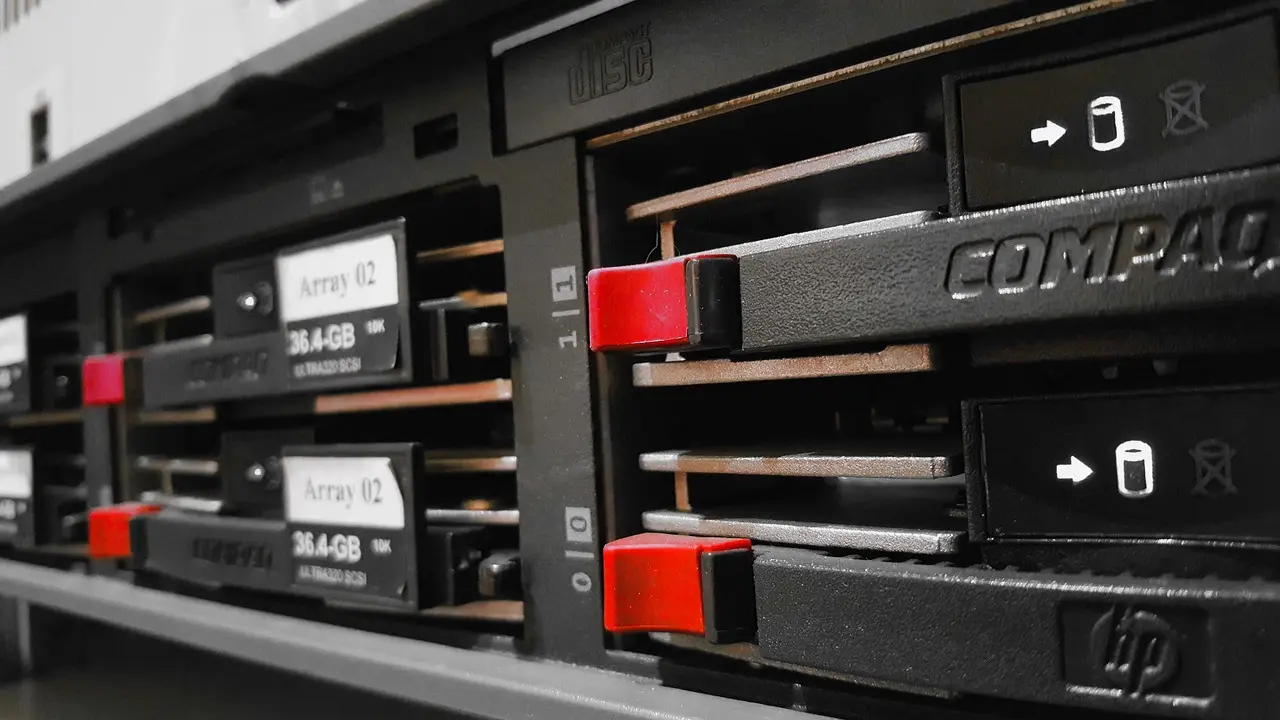
Tailored content automation solutions, such as custom integration content automation, offer a range of benefits for businesses that require more than off-the-shelf plugins or standard API connections. When integrating a platform like Inowara with unique systems—whether it’s a proprietary CMS, a legacy portal, or a specialized e-commerce backend—the impact can be significant in terms of efficiency, personalization, and future scalability.
Advantages of Tailored Content Automation
- Efficiency: Custom integrations remove repetitive manual tasks by connecting directly to your site’s architecture, enabling automated planning, writing, and publishing. This not only speeds up content production but also reduces the risk of human error.
- Personalization: Tailored solutions allow content to be generated and published based on your actual data, services, and unique business rules. For instance, Inowara analyzes your site, niche, and competitors to generate content plans and articles that reflect your real opportunities for SEO growth.
- Scalability: As your business grows or your tech stack evolves, a custom CMS integration can be adapted without being limited by generic connectors. This flexibility ensures that your automation remains aligned with your changing needs.
Challenges of Custom Integrations
- Initial Setup: Building a tailored integration usually requires a thorough review of your current systems and processes. For some businesses, this can mean a higher upfront investment in time and technical resources.
- Technical Complexity: Connecting to internal apps, custom CMSs, or legacy platforms may involve handling undocumented APIs or non-standard workflows. This demands expertise in both your infrastructure and the automation platform.
- Ongoing Maintenance: Custom integrations need to be maintained as your systems update or expand, ensuring continued compatibility and security.
| Aspect | Benefit | Challenge |
|---|---|---|
| Efficiency | Automated end-to-end content workflow | Requires custom mapping and testing |
| Personalization | Content tailored to your data and goals | Integration logic must reflect unique business processes |
| Scalability | Flexible as your site and content needs grow | Needs ongoing updates as platforms evolve |
Inowara directly addresses these challenges by offering a fully managed process: the platform reviews your existing systems, proposes an optimal publishing path, and builds custom integrations for environments not covered by standard solutions. This means that whether your site is built on Laravel, Django, .NET, or a proprietary CMS, your content automation can be seamlessly tailored—minimizing manual effort while maximizing SEO impact. For a deeper comparison of automated versus traditional approaches, see Content Automation vs Hiring Content.
How to Choose the Right API for Content Platforms and Ensure Future Scalability?
Choosing the right API for content platforms is a crucial step in building a reliable and scalable custom integration content automation workflow. For businesses focused on long-term SEO growth and operational flexibility, several factors should guide this decision.
Key Considerations When Selecting an API or Integration Approach
- Compatibility: Ensure the API is compatible with your current CMS, e-commerce, or workflow systems. For example, Inowara supports a wide range of platforms including WordPress, Webflow, Ghost, and even custom or legacy systems through custom integration.
- Extensibility: The chosen API should allow for future updates and new features, so your automation doesn’t become obsolete as your business evolves.
- Security: Opt for APIs with robust authentication and data protection, especially when automating sensitive publishing workflows.
- Documentation and Support: Well-documented APIs reduce integration time and the risk of errors, while active support channels are essential for troubleshooting.
| API Model | Best For | Scalability | Example Use Case |
|---|---|---|---|
| Native CMS API | Standard platforms (WordPress, Ghost, Webflow) | High within platform limits | Publishing AI-optimized articles directly to a blog |
| Public/Open API | Multiple integrations and custom workflows | Very high, future-proof | Syncing content across e-commerce and marketing sites |
| Custom Integration/API | Unique or legacy systems | Tailored to business growth | Automating landing page creation on proprietary platforms |
Open APIs and tailored development play a pivotal role for companies aiming to automate not just one CMS but entire content ecosystems. For instance, an e-commerce business that wants to automate local landing pages for each location can leverage Inowara’s capability to generate, review, and publish SEO content—including images and landing pages—across multiple destinations. The flexibility of a custom CMS integration ensures that even if your technology stack changes, your automation remains effective and scalable.
It’s also helpful to consider how your automation needs might evolve. If you plan to expand into new markets or add more content channels, an API with broad support and customization potential is vital. Resources like AI Content for Local Service illustrate how businesses are leveraging automation to drive localized SEO growth at scale.
Ultimately, the right API and integration strategy will empower your team to automate content across platforms—whether standard or bespoke—while maintaining control over quality and branding. For tailored content automation that adapts as your business grows, explore Inowara’s integration solutions at inowara.com.
Frequently Asked Questions
What is the difference between standard and custom integration in content automation?
Standard integrations connect content automation platforms to popular CMS or services using pre-built connectors with set features. Custom integrations are specifically developed to connect with unique or less common systems, tailoring the automation process to fit precise business workflows, data structures, or publishing needs that standard options cannot cover.
How do I know if my CMS needs a tailored integration solution?
If your website uses a proprietary, self-hosted, or less common CMS that is not listed among supported platforms (like WordPress, Webflow, or Ghost), or if your publishing workflow requires unique logic, a tailored integration is usually necessary. Inowara evaluates your system and advises when a custom approach is the best fit.
Can custom API integrations handle scheduled content publishing?
Yes, custom API integrations can automate scheduled publishing, ensuring content is generated and posted according to a predefined calendar. Inowara’s tailored solutions connect directly to your CMS or platform, supporting automatic, hands-off scheduling and approval workflows for SEO content.
Are custom integrations secure for sensitive business data?
Custom integrations can be designed with robust security standards, using encrypted data transfer and permission controls. Inowara prioritizes the safety of your data during integration, ensuring that content automation does not expose sensitive information or create new vulnerabilities for your business.
How does Inowara support custom CMS or platform integrations?
Inowara analyzes your current systems and develops a tailored integration that connects its automated SEO content and image generation platform directly to your CMS or business tools. This ensures seamless automation even for platforms not supported by default, all while maintaining flexibility and reliability.
What are the costs and timelines for implementing a custom content automation integration?
Custom integration costs and timelines depend on your CMS complexity, required features, and business needs. After an initial assessment, Inowara outlines clear expectations and delivers bespoke solutions efficiently. For details and a personalized estimate, it is best to contact Inowara directly.
Ready to automate content for your unique platform?
If your website or business requires a tailored integration for automated SEO content and landing pages, Inowara provides flexible solutions that fit your specific needs. Discover more and start your custom automation journey at inowara.com.
Conclusion
Custom integration content automation is an essential step for site owners and businesses seeking a seamless, scalable approach to generating and publishing SEO content tailored to their unique needs. For platforms like Inowara, which automate everything from content planning to scheduled publishing based on your existing data and services, a custom solution ensures that your workflows and goals are fully supported—especially when standard integrations are not enough. By embracing tailored automation, you gain original, measurable growth through content that stands apart from generic AI templates, while minimizing manual effort and maximizing your site's organic reach.
If your business requires automated, personalized SEO content across diverse platforms, consider exploring Inowara’s custom integration services. Discover how a tailored approach can unlock new levels of efficiency and growth for your website at inowara.com.